
Garageband is an incredible DAW but it’s only available for Mac users. You may have seen sites claiming to have Garageband for Windows working, but this is false. These could be buggy emulations or malware, so steer clear and beware. It’s better to install a DAW that runs natively on Windows.
You could get Garageband on a Hackintosh, but it’s always just better to run these programs natively. You run into fewer crashes and future problems. If you don’t have a Mac, we recommend getting a program that has been made directly for Windows. Any workarounds are just going to give you a headache and likely not work. Especially if you’re not technical!
In this article we’ll cover 7 great, free Garageband alternatives to make music on.
Can I Get Garageband For Windows Anywhere?
Garageband isn’t available for Windows. Sites that claim to have Garageband working on Windows will be emulating Apple OS on a Windows machine, or they could be malware. Stay away from these emulations and install a DAW that runs natively on Windows. You’ll run into far fewer problems, crashes etc. and everything will run a lot smoother.
There are plenty of fantastic tools available for Windows that are free. None are as good as Garageband, but they’re damn near close.
Learn Music Theory by Ear
Building Blocks trains your ear to hear chords, melodies and basslines, so whatever you make in your DAW sounds like you meant it. Video-game style.
What Are The Cons of Running Garageband on A Virtual Machine and Why Shouldn’t I Do it?
There are many cons to using a virtual machine for Garageband and you should not run Garageband using one. Doing so can cause issues with audio drivers, latency and can crash your projects continuously. Virtual machines are very buggy and due to Apple’s specific hardware requirements for macOS, it’s very difficult to get running smoothly on Windows.
If you have the correct hardware requirements to build a Hackintosh, then you should be ok running a virtual machine for Garageband, but it still won’t run as well as a DAW that is made for Windows.
Another thing to consider is updates. As updates are released, software becomes obsolete for certain versions of macOS. When running a virtual machine for macOS, it’s extremely difficult to keep up with OS updates and to get them running smoothly.
This means you’ll always be a couple of updates behind everyone else. If this doesn’t matter to you, go ahead. But Apple release new features for Garageband quite frequently, so it’s probably best to just get a cheap 2nd hand, Mac, if you want Garageband that badly.
Are Macs Better Than PC for Music Production?
Although you can get a more powerful PC for cheaper, Macs are much better for music production. They crash less during live performances and production sessions, have built-in core audio drivers that work seamlessly and are generally more stable environments for both audio and video.
You can get PC’s that are stable, but they will always be slightly more at risk of potential crashes. When building a PC for music production it’s important that you pay attention to the hardware. It’s common for PCs to have hardware with bad drivers that can cause DPC latency spikes and as a result, give you stuttery audio/video.
With Mac, you don’t have any of these problems because there isn’t the same level of customizability for parts. You can only use certain hardware in Mac machines, and this hardware has been pre-selected by Apple for you.
This also helps with the stability of music production software.
Because there’s a fairly limited amount of hardware that will be running the application, it’s easier to find the bugs and iron them. With Windows, people have a whole range of different configurations, so ironing out bugs is much more time consuming and difficult, meaning bugs won’t always be fixed on your particular configuration.
Mac is also built with core audio, which allows you to plug in any audio device and use it without the need to install drivers. Take a Mac with you and it will work with any audio device (provided you have the connections) out of the box.
Of course, you could get a powerhouse PC for a fraction of the price of a Mac, but there’s a reason Mac is so heavily used by the professional video and audio industry. It works out of the box, without having to fiddle with a million different things.
Can I Get Logic Pro for Windows?
Logic Pro is not available for Windows. It is an exclusive program for Mac and iOS. This is unlikely to change since Microsoft and Apple have been in fierce competition with each other since Apple started.
There are some workarounds for this like Hackintosh. But you are essentially building a machine to be used as a Mac. This can get expensive and confusing if you’re not technically gifted!
What Are The Best Garageband Alternatives?
Here’s a complete list of the best Garageband alternative for Windows & Mac:
1. Tracktion Waveform Free
Tracktion Waveform Free is the free version of their flagship DAW, Waveform Pro. It is essentially last year’s version of Waveform Pro, given away for free. Unlike many other free DAW options out there, there are no limitations on Tracktion – you can use as many tracks as you like, save, re-open and edit project fully with no limitations. You can also record audio, MIDI, utilise the built-in instruments, alongside a library of professional sounds and support 3rd party VST plugins.
Waveform Free is truly the most feature-rich DAW available for free and is much better when compared to Garageband. You can do anything your creativity will allow.
Waveform Free additionally comes with a suite of built-in effects such as EQ, Compression, Reverb & more. This is a benefit that Waveform Pro has over Garageband, because, although Garageband does include effects, they’re far more stripped back than Waveform’s.
Unfortunately, unlike Garageband, you can’t use Waveform Free on your mobile devices and seamlessly transfer projects. However, you can transfer projects between different operating systems, which is an incredible feature to have.
Tracktion Waveform Free is the best free DAW to ever walk the earth. It includes all the features you’d find in a professional-grade DAW such as Ableton Live, for free!
Oh… and it’s also open-source DAW, meaning you can alter the code and use the Tracktion Engine to create whatever your heart desires. And you can run it on a Raspberry Pi!
2. Cakewalk Sonar (Free Tier)
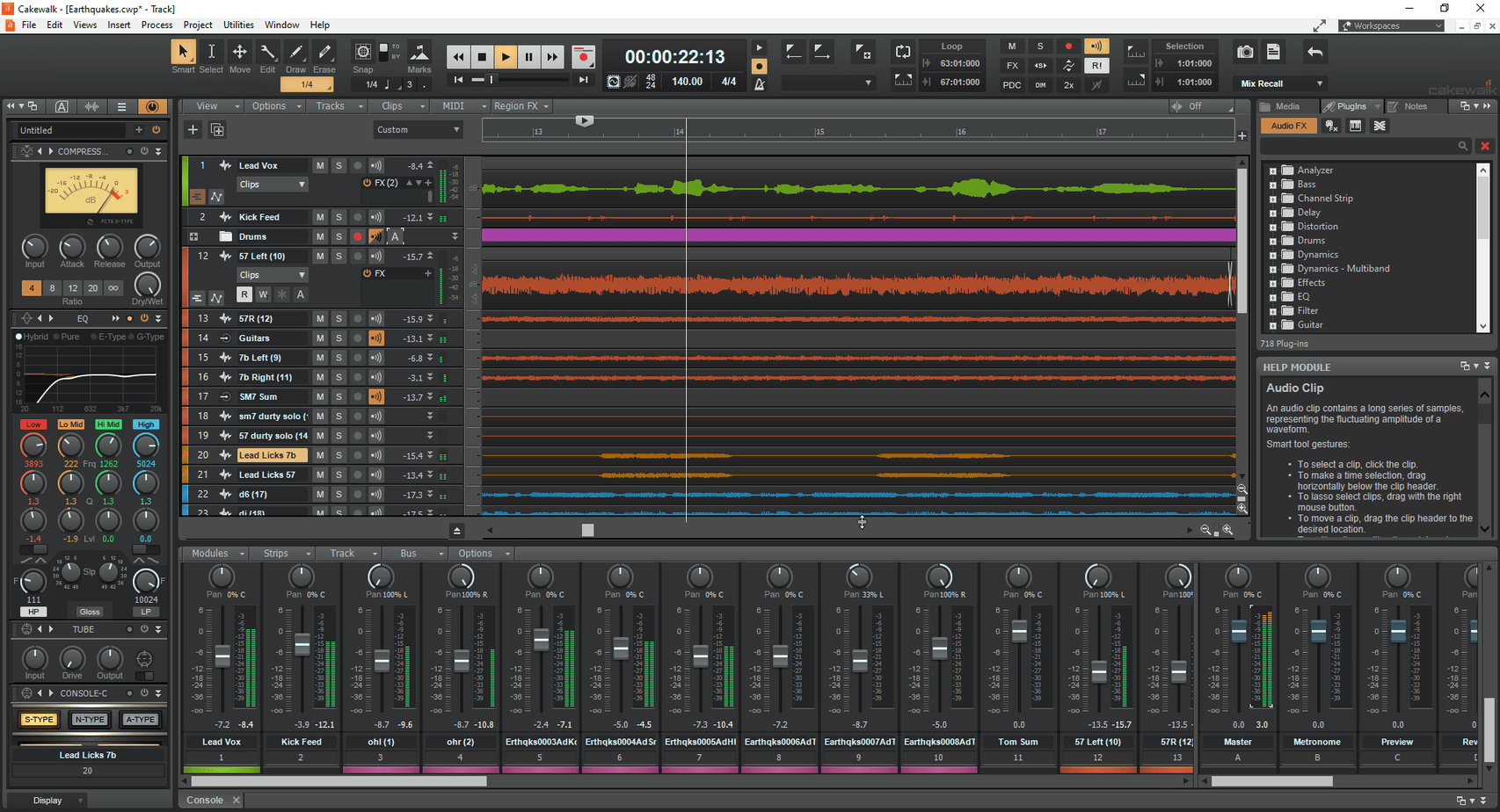
Cakewalk Sonar is the reborn Sonar DAW from BandLab, launched in 2024; it replaced the old free Cakewalk by BandLab, which reached end of life at the end of 2025. The free tier keeps the essentials open: save your projects, reopen them, use as many tracks as you like, load VST3 plugins, and do most of what you’d do in a paid DAW like Logic. A BandLab Membership unlocks the extras (some bundled plugins, plugin oversampling, Workspaces).
When comparing Cakewalk to Garageband, Cakewalk definitely wins. It comes with an array of professional-grade VST effects, instruments, synthesizers and 3rd party VST support.
One benefit that Cakewalk has over the other DAWs on this list is that it is touch enabled. This means it has been designed for use with touch screens, allowing you to use it seamlessly on a Surface Pro or other touch screen device.
This is more of a novelty feature but touch screen capability can be important to a lot of people.
Comparing Cakewalk to Waveform Free, Waveform Free has a slight edge, with more functionality, instruments and a bigger sound library. There are some cooler things you can do like create & wire plugin racks in Waveform Free, that you just can’t do in Cakewalk.
However UI makes a big difference to workflow and you may prefer Cakewalk’s UI. The best advice is to download and test out both.
3. BandLab (Browser and Mobile)
BandLab is the free, cloud-based DAW from the company that now owns Cakewalk, and it is the closest thing to GarageBand on Windows: a big loop library, virtual instruments, guitar and vocal effects, an editor that runs in the browser (nothing to install), and phone apps that open the same projects. The core editor is free with no paywall.
The trade-offs are the same ones GarageBand has, plus a couple of its own. You can’t load third-party VST plugins, the built-in effects are simpler than what Waveform Free or Reaper give you, and free projects are capped at 16 tracks and 15 minutes (a Membership raises the track count to 32). It’s built for getting ideas down fast, not for surgical mixing.
If you’re coming from GarageBand and want something that feels familiar, that you can sketch on your phone on the bus and finish on a PC, BandLab is the natural switch. When you outgrow it, Cakewalk Sonar is one download away in the same account.
4. Reaper
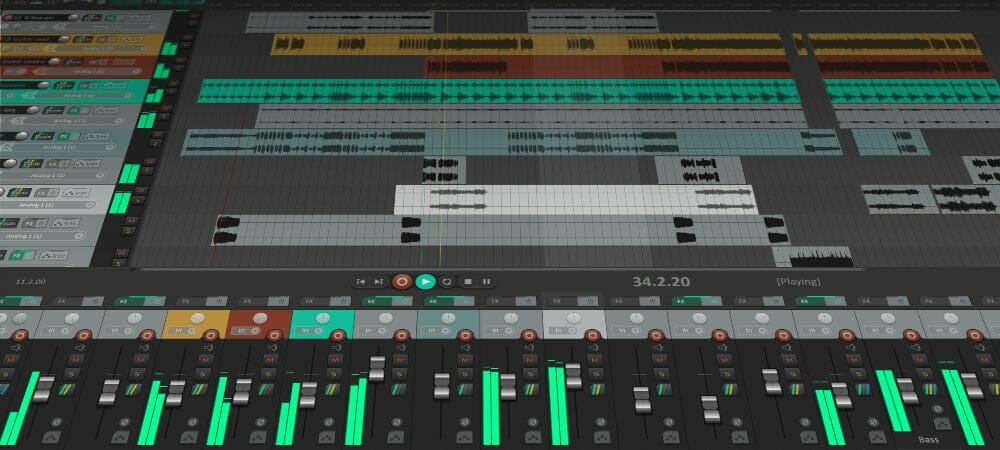
Reaper isn’t technically a free DAW, however, you can use the trial beyond the 60 day period. We don’t suggest you do, because you can run into problems and it’s the cheapest DAW you’ll find so, if you like it, it’s wise to invest.
Using this trial gives you unlimited access to Reaper and its functionality.
It’s better for mixing, mastering and recording than it is for composing, and is more often becoming the hub of many professional studios, including people like Glen Fricker and WhiteSeaStudios using it. Unfortunately Reaper doesn’t come with many instruments or VST effects, with only the basics included for mixing purposes and a mere two instruments that aren’t great – this is what makes it a worse choice for composition than the others on this list.
In contrast to most DAW’s, Reaper only has a single type of channel. Where Garageband, Ableton, And many other DAW’s have separate Audio and MIDI Channels, Reaper has all-in-one channels. Depending on settings, you can easily edit audio, as well as MIDI in one channel.
There are two main drawbacks to Reaper however. The interface can be unintuitive and cold at first glance, which might turn off absolute beginners. And maybe more importantly, there are no built in instruments or loops available, so you’ll need some 3rd party ones to fill that hole.
When comparing to Garageband, Reaper is similar software, but made for a different purpose. Garageband is aimed at music making, while Reaper is aimed at audio engineers who want to record, mix & master.
There is no support for iOS devices or tablets like Garageband.
5. SoundBridge
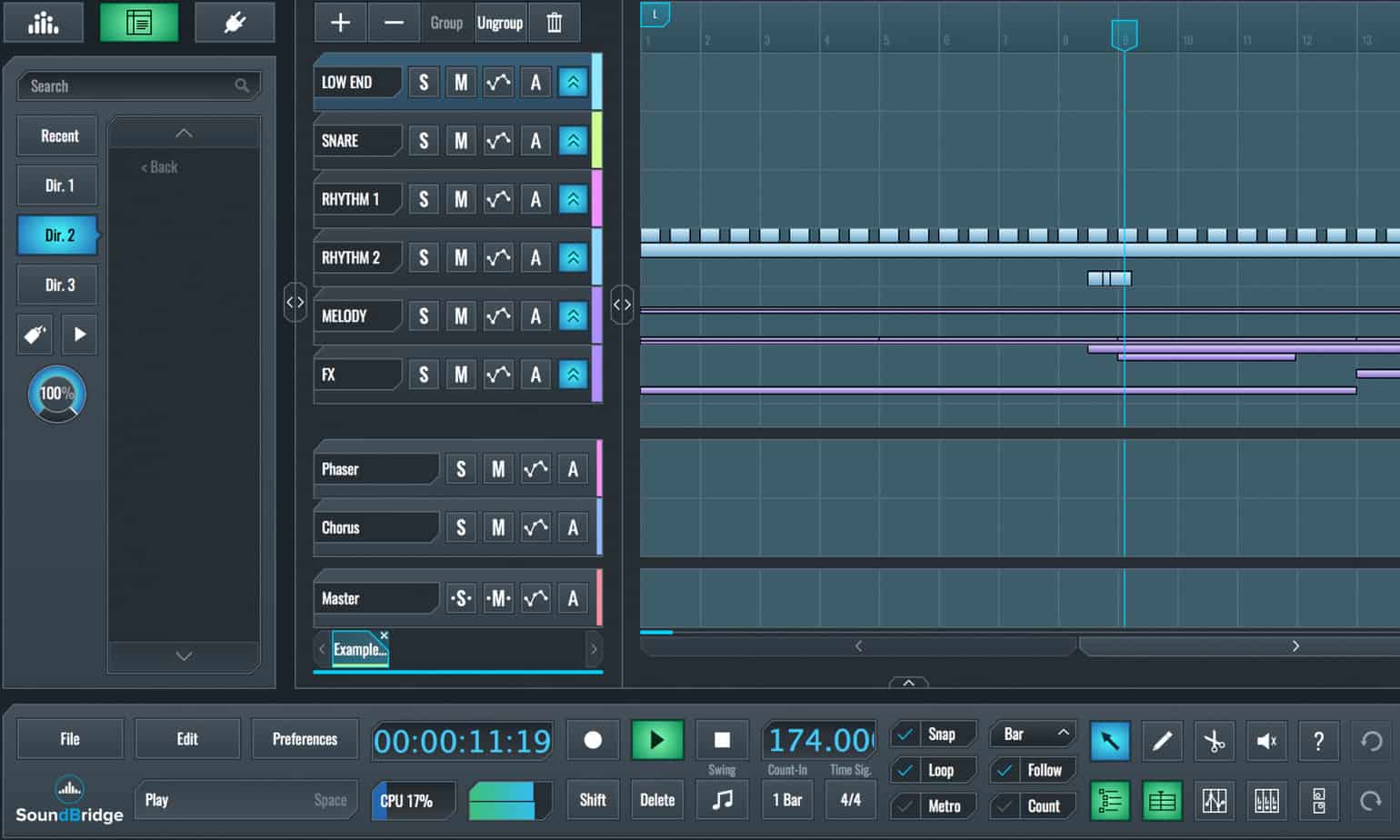
SoundBridge is another extremely feature-rich DAW for Windows and Mac. It comes with a plethora of audio effects, including a great EQ, compressor/limiter, gate, bitcrushing and more. There are no limitations to worry about so you can export your audio in whatever quality you like, add dithering, save project files and do everything you’d expect to in a paid DAW.
There aren’t many VST instruments in SoundBridge which is a massive drawback if you’re looking for more composition based software. However, there is support for 3rd party VST plugins so you can download some if you need.
SoundBridge also includes support for touch screen devices and allows you to use something like a Surface Pro for the faders, which is pretty cool.
One thing to mention about SoundBridge is that it’s not suited to beginners. It’s a much more advanced software and the learning curve is very steep. If you’re up for that, then cool. If you just wanna mess about and make some beats then SoundBridge might not be for you.
6. LMMS
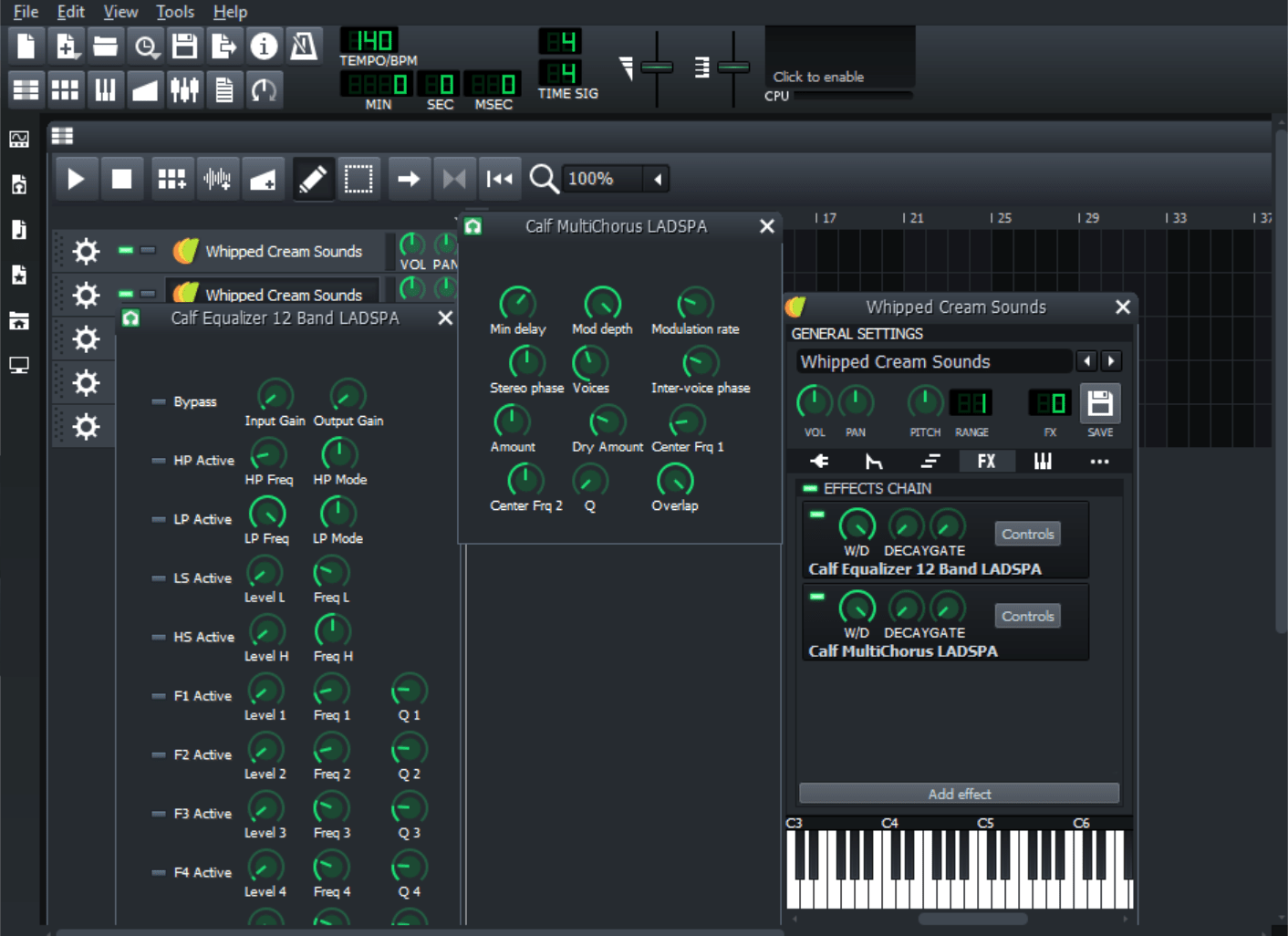
LMMS is an open-source DAW available for Windows and Linux. It has all the features you’d want for writing and recording music, and many producers use LMMS to create some pretty professional sounding music. However, the tools are pretty stripped back and the UI is extremely confusing with LMMS.
It’s completely limitless, meaning you have no limits on the amount of tracks, buses, effects or any export quality ceilings. However, the software is quite basic and difficult to use.
The instruments included are very stripped back and the sounds the are included are also very basic. It’s very hard to get LMMS to sound good, but if you really work at it you definitely can. We’re not sure why you’d choose this over the others on this list (aside from CPU usage) but one man’s rubbish is another man’s gold.
If you don’t like the included effects you also get 3rd party VST support, meaning you can use paid plugins or download some better free effects.
When compared to Garageband, LMMS isn’t anywhere near as good. There are less limits and the software is more advanced but, with the workflow and quality of instruments, you’ll most likely get better results using Garageband.
Finishing Up
To Recap, the 6 Best Garageband alternatives are:
Whether you’re just a beginner at music creation and have never looked at a piano roll in your life, or an audio production pro, a good DAW is necessary for the creation of your musical ideas.
If you’re just now switching away from Garageband, finding a great alternative might be hard. You might love the workflow and interface, in which case you should get Logic.
We hope you’ve been able to find that one nice alternative, that you can use like Garageband. If all else fails, give Ableton a shot, it’s probably the biggest DAW for electronic producers and if you fit in this category, you’ll love it.
Learn Music Theory by Ear
Building Blocks trains your ear to hear chords, melodies and basslines, so whatever you make in your DAW sounds like you meant it. Video-game style.

Harry Jackson is a DJ, Music Producer, and Entrepreneur based in Birmingham, UK. He is the founder of music production website Whipped Cream Sounds. Harry writes detailed tutorials covering everything from production & sound design to marketing and music theory. He produces primarily Lo-Fi under the alias Lofti.