
Your Questions About Open Source DAWs Answered:
Open source DAWs can be a great option for people who love to get “under the hood” of their software. But with so many free open-source DAW options available online, it raises the question – which is best?
Are open-source DAWs good for beginners, and if so, which ones are the best?
In this article, we’ll cover everything you need to know about the best open source DAW software.
Are Open Source DAWs Worth Downloading?
Open-source DAWs are worth downloading. They have lots of advantages, they’re usually free, highly customizable, and can be run on Linux systems, such as Raspberry Pi computers. However, they are mainly for people who know how to code. If you don’t understand tech well, start off with something more simple.
Open-source DAWs let you do a lot of things that software packages like Ableton and Logic just can’t. From customizability to being able to look and work “under the hood” of your DAW, open-source software has a lot of advantages.
For instance, using a Raspberry Pi, you could integrate an open-source DAW with your mixing desk and have it working as a kind of digital mixer/DAW for workflow. This is of course very advanced, and you need a deep understanding of software, code and tech to perform this.
If you’re starting out we’d avoid open-source DAWs and go for something like Garageband or Tracktion Waveform. They’re both free and will offer everything you need to get started with production.
A lot of the best open-source DAWs are very well packaged and are quite beginner-friendly, so they’re a great option for both beginners and professionals!
Learn Music Theory by Ear
Building Blocks trains your ear to hear chords, melodies and basslines, so whatever you make in your DAW sounds like you meant it. Video-game style.
Which Are The Best Open Source DAWs for Beginners?
MusE is the best open-source DAW out there for beginners. It may be intimidating at first, but it offers a lot more than most free DAWs and will take you further as you grow as a musician. However, if you’re not technical don’t get an Open Source DAW. Garageband or Tracktion Waveform if you’re on Windows.
That being said, as a beginner, you’re better off starting with something simple and intuitive such as Garageband.
An open-source architecture offers a lot of customizability and basically lets you create your own perfect DAW environment. We’ve seen MusE used in studios in many different ways. It can be built into the mixing console for a really quick and versatile recording tool, as well as a demo machine.
Setting up MusE the way you want, will require quite a lot of knowledge about coding and software, so if what you’re looking for is something free and simple to start learning on, open-source might not be the way to go.
Even the more intuitive digital audio workstations can be intimidating to musicians that have never worked with digital music. So in general, starting with software like Garageband or Audacity can give you the necessary basic knowledge, to be able to then use more advanced audio software.
What Is The Best Open Source DAW?
Here’s the complete list of free, open-source DAWs:
| DAW Name | Suitable for | Key Features | Platform Availability |
|---|---|---|---|
| MusE | Beginners to Professionals | – Full VST support – LADSPA effects – Unlimited tracks | Linux |
| Ardour | Mixing and Mastering Pros | – Advanced automation, panning, routing – Hundreds of plugins<br>- Video compatibility | Linux, macOS, Windows |
| Tracktion Waveform Free | General Music Production | – Unlimited tracks (audio & MIDI) – Professional-grade processing – Supports 3rd party VST plugins | Linux, macOS, Windows |
| LMMS | MIDI-focused Producers | – 16 built-in synthesizers – Supports 64-bit and 32-bit plugins< – Ideal for MIDI work | Linux, Windows, macOS |
1. MusE
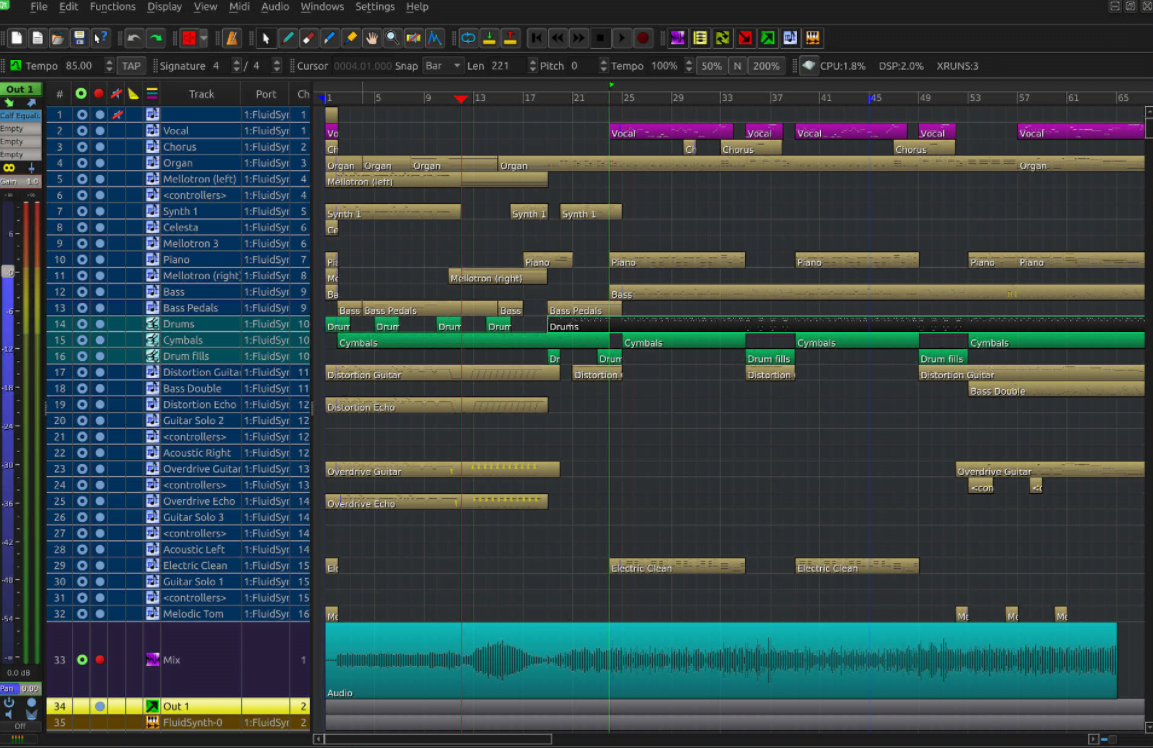
Originally written by Werner Schweer, the MusE sequencer is one of the best open-source DAWs available today. The MusE Sequencer is a fully-fledged multi-track digital audio workstation for use with both MIDI and Audio.
MusE is exclusively available on Linux systems, under a GPL2 license and even includes some factory synths. MusE is very light and easy on your computer, but still features everything you would want from a DAW.
You get full VST support, LADSPA effects, tons of customization, unlimited midi and audio tracks with real-time clocking and more. When it comes to open-source digital audio workstations, MusE is one of the best out there. with tons of customizability, expansion and power.
2. Ardour
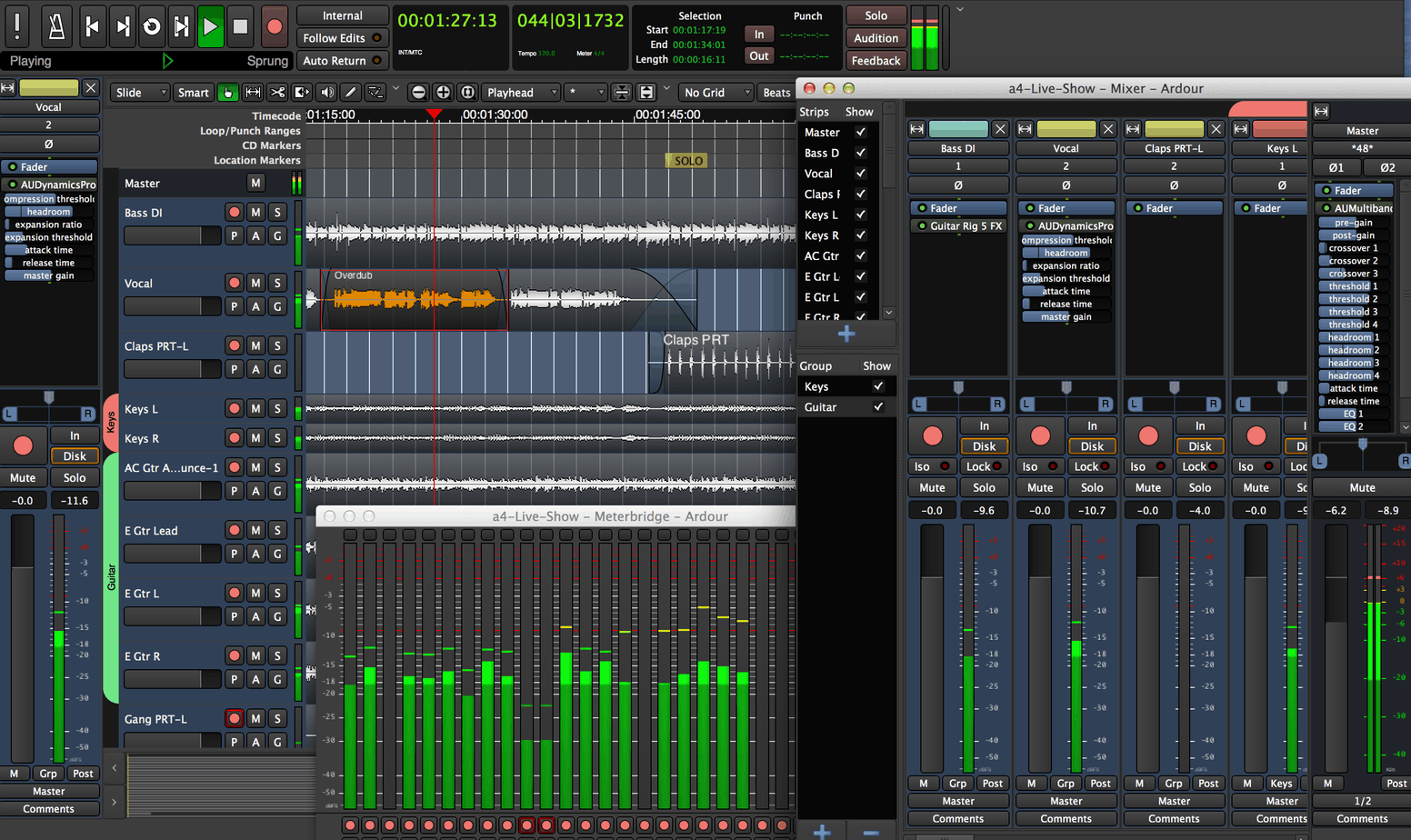
Aimed at mixing and mastering professionals, Ardour is one of the best free DAWs you can get right now. With no limitations, and tons of tools for recording, editing and mixing, Ardour has everything you need to start recording and mixing right away.
In addition to the advanced automation, panning and routing sections, Ardour also comes with hundreds of plugins you can download for any of your production needs. You can even use Ardour to work with Video, which is why a lot of soundtracking professionals really love Ardour.
The open-source nature of this daw also means there’s quite a lot of customizability available, to make Ardour fit perfectly within your workflow. You can download Ardour as either a ready-to-run program or just the source code.
3. Tracktion Waveform Free
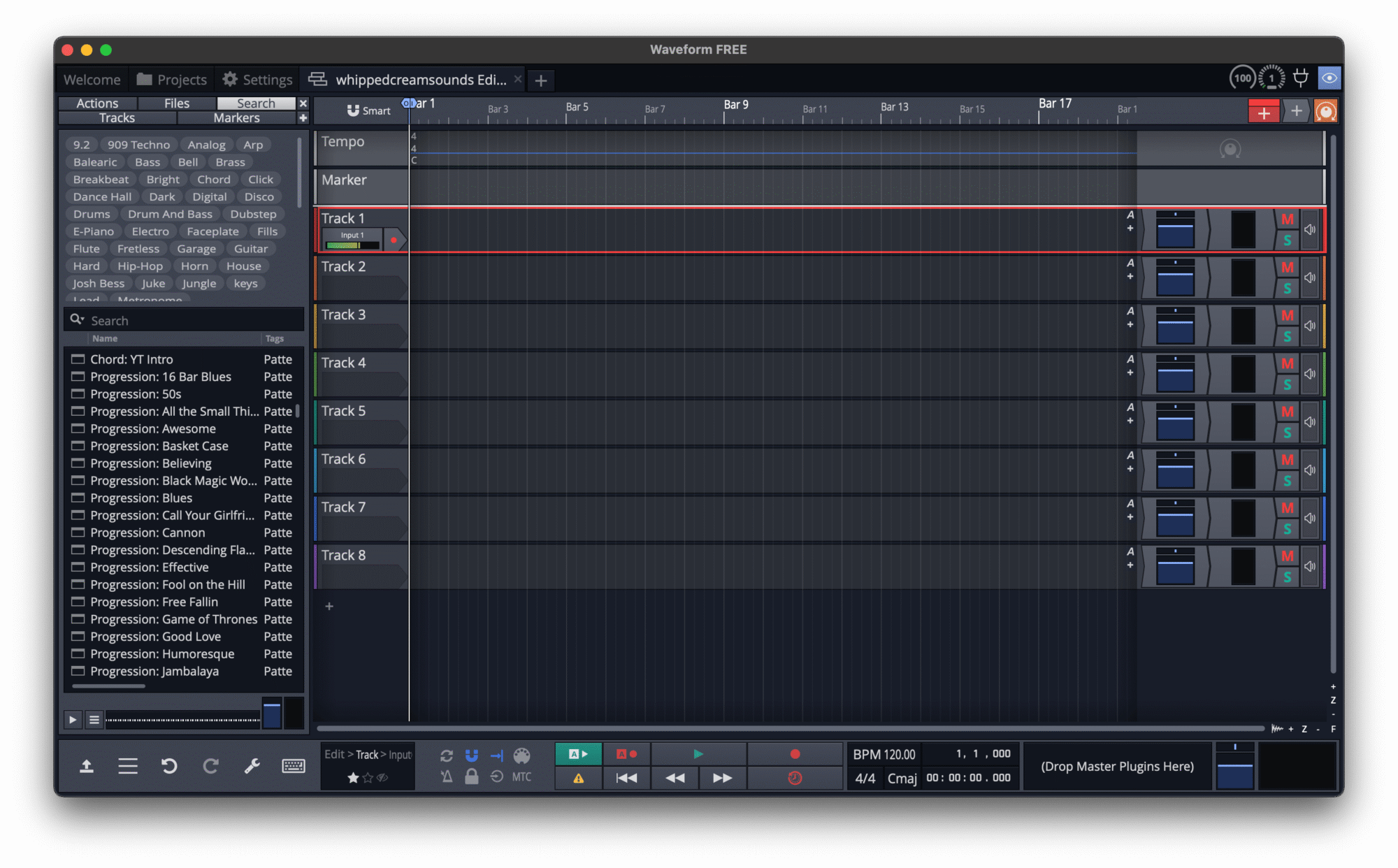
Perfect for modern music production, Tracktion Waveform Free is one of the best alternatives to popular, paid DAWs. Waveform free is essentially just last year’s version of Waveform Pro (Tracktion’s paid DAW), which comes with a lot of professional features. With every new version of Waveform Pro, an older version of the software becomes Free.
With Waveform free, you get unlimited tracks, including audio & MIDI, professional-grade processing, EQ and mixing effects. It also has an effects rack where you can chain up plug-ins, and create complex connections between all the audio processors. On top of this, you can use 3rd party plugins inside Tracktion Free.
You also get some virtual instruments & VST plugins, including a sampler, an FM synthesizer and more.
Waveform does a lot of cool stuff including, step sequencing, vocal comping, MIDI learning, track freezing time and pitch warping + it can sync to video. It also fully supports 3rd party VST plugin software, and virtual instruments, + will run on Windows, MacOS and Linux.
If you want to customize Tracktion Waveform to fit your workflow better, you can download the Tracktion Engine, which is an open-source codebase that you can use to create anything you like using the Tracktion DAW engine.
Tracktion Waveform Free is in our opinion the best FREE alternative to Ableton Live, offering tons of options to start making music!
4. LMMS
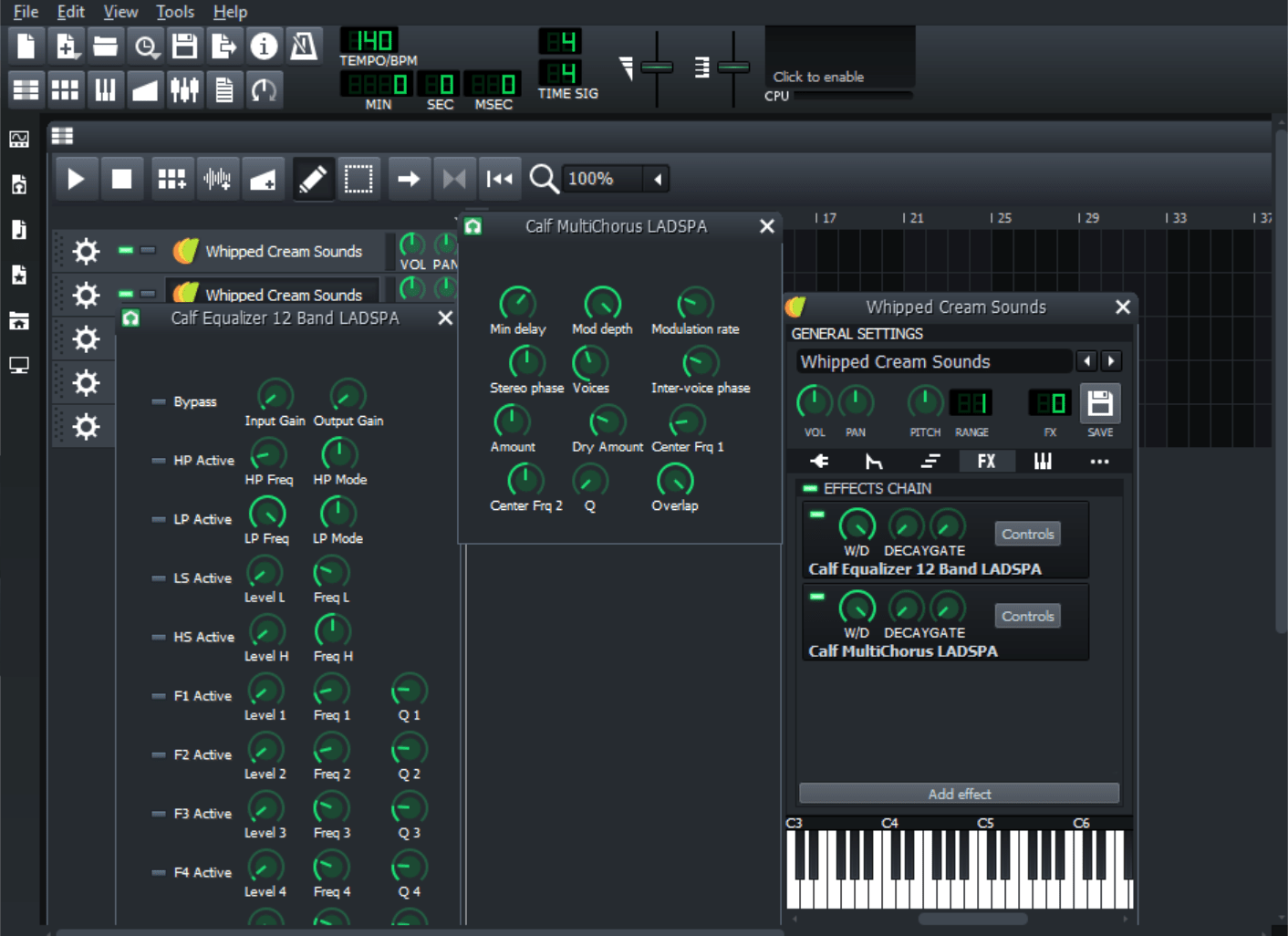
LMMS was originally made for Linux systems, and then later on routed to be available for both Windows and macOS. While LMMS is not the best DAW by any measurement, in fact, you can’t even record audio with it, it’s still a good option for open-source nerds.
With 16 built-in synthesizers, including an awesome TR-303 emulation, LMMS is built for working with MIDI.
You get support for both 64-bit and 32-bit plugins, using the built-in VST bridge software. It needs to be mentioned though, that VST support isn’t available for macOS users at this time.
While the lack of audio recording possibilities is definitely going to be a drawback to most producers, overall, LMMS can get you some pretty workable results.
And when you consider that it’s light enough to be put on a Raspberry Pi, you have quite an awesome option for an on-the-go digital audio workstation.
Summary
To recap, here’s the complete list of the 4 best Open Source DAWs:
Open-source DAWs offer a lot of customizability and personalization, that big DAW software packages just can’t give you. Even if you aren’t a software nerd, just the thought of a free digital audio workstation should get you excited. Hopefully, you’ve been able to find the open-source DAW that fits your needs the best!
Learn Music Theory by Ear
Building Blocks trains your ear to hear chords, melodies and basslines, so whatever you make in your DAW sounds like you meant it. Video-game style.

Toms is a music producer & DJ, born and raised in post-Soviet Latvia and based in Brighton. He has played multiple festivals, worked in mixing & mastering and freelanced as a music journalist. He creates music under the alias Sovereign: intimate and subtle, yet full of edge and energy, combining the artistic sounds of Trip Hop artists like Massive Attack with the energy of producers like Flume, Jamie XX and Yaeji.