
ポケットの中のスマートフォンは、本格的なマルチトラックスタジオです。簡易版ではなく、オーディオを録音し、MIDIをシーケンスし、エフェクトをかけ、他の環境で仕上げられる形式で書き出せる、本物のDAWです。
注意点は、「モバイルDAW」には全く異なる2種類があることです:思いついたアイデアを消える前に記録するためのアプリと、レコードを完成させるためのアプリ。間違った方を選ぶことが、モバイルでの音楽制作を諦める主な原因です。
まず、本当にやりたいことから考える
- バスの中でアイデアを記録する。 すぐに起動でき、楽器がすぐ弾ける状態にあることが重要です。機能の深さは問題ではありません。アイデアが消える前に書き留められることが大事です。
- 生楽器やボーカルを録音する。 ここではオーディオトラック数、レイテンシ、オーディオインターフェースへの対応が重要になります。
- タブレットで楽曲を完成させる。 デスクトップ級のアプリが本領を発揮する場面であり、大画面が必須となります。
- デスクトップDAWに送る。 4つの中で最も重要な問いです。常にコンピュータで仕上げる予定なら、すでに持っているDAWで開けるモバイルアプリを選びましょう。
まず試すべき無料アプリ
GarageBand
無料、iPhone・iPad対応。Apple製品をお持ちなら無料でダウンロードできるので、まずここから始めて、限界を感じるまで他のアプリを買わないでください。マルチトラックのオーディオとMIDI、充実した楽器ライブラリ、Drummer、アンプモデル、そしてLogic Proへ直接開けるプロジェクトファイル。モバイルDAWを探している多くの人にとって、これが正直な答えです。
BandLab
無料、iOS・Android対応。Apple以外で最強の無料選択肢であり、コラボレーション機能が最も優れています:プロジェクトはクラウド上にあるため、セッションを他の人に渡して作業を続けられます。マルチトラック録音、豊富なループと楽器ライブラリ、マスタリングツール、そして同じプロジェクトのブラウザ版も利用できます。
本格的な制作を完成させる
Logic Pro for iPad
サブスクリプション、iPad専用。このリストで最も高機能なアプリです。AppleはLogicを縮小するのではなく、タッチ操作用に再構築しました。プロジェクトはiPadとMac版の間を行き来できます。サブスクリプション方式であることは検討すべき点です。買い切りと違い、利用を続けるには支払いを続ける必要があり、これは他のソフトウェアより、何年分ものプロジェクトを保持するDAWにとって重要な意味を持ちます。
音楽理論を耳で学ぶ
Building Blocksは、コード、メロディ、ベースラインを聴き分ける耳を鍛えるので、DAWで作ったものがすべて意図通りに聞こえます。ビデオゲームスタイルで。
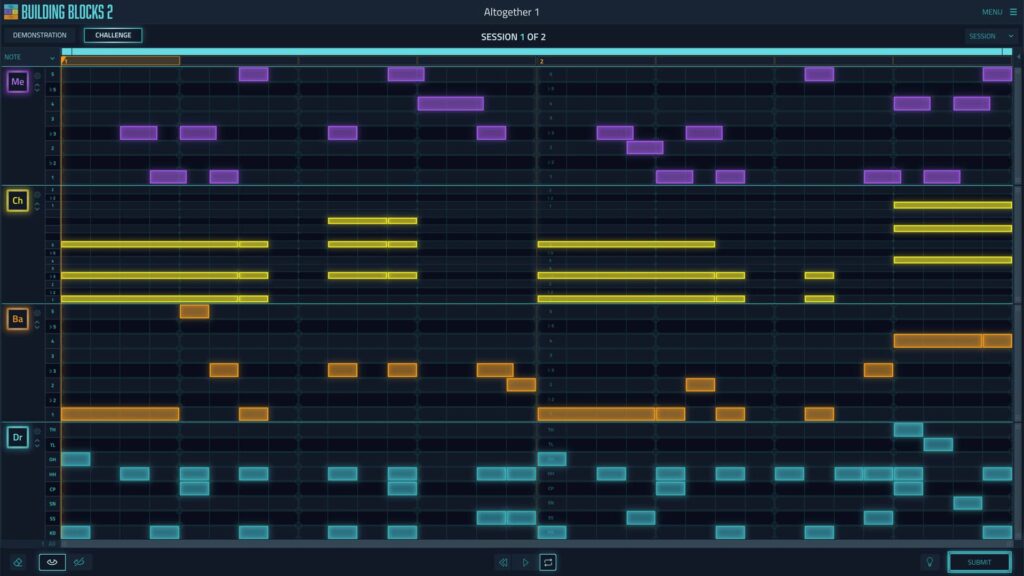
Cubasis 3
買い切り、iOS・Android対応。SteinbergのモバイルDAWで、Cubaseユーザーなら検討すべきアプリです。Cubaseで開ける形式で書き出せます。タイムストレッチ、ピッチシフト、オートメーションを備えたオーディオ・MIDIマルチトラック、そしてバンドルされた楽器とエフェクトのセット。トラック制限とデバイス要件はバージョンごとに変わるので、ストアページで確認してください。
FL Studio Mobile
買い切り、iOS・Android対応。コンパニオンアプリではなく、本物のFLバージョンです。ステップシーケンサー、ピアノロール、ミキサーを備えています。デスクトップ版のFL Studioをすでに使っているなら特に価値があります。ワークフローもプロジェクトファイルも移行できるからです。
n-Track Studio
無料版と有料アップグレード、iOS・Android対応。プログラミングよりレコーディング寄りの設計で、ギター・ベースのアンプモデル、ドラムマシン、テンポマッチング、ピッチシフトを搭載。ビートを組むのではなく実楽器をスマホに録音したい場合に向いています。
Audio Evolution Mobile Studio
買い切り、iOS・Android対応。オートメーション、ループサポート、各種エクスポート形式に対応したシンプルなマルチトラックレコーダー兼ミキサーです。他と比べて派手さはありませんが、本格的なマルチトラックレコーディングアプリの選択肢がiOSより少ないAndroidでは特に重要な存在です。
デスクトップDAWへのスケッチ用
Ableton Note
有料、iPhone・iPad対応。あえてフルDAWにしていません。Abletonのドラムキットとシンセを使ってアイデアを数分で書き留めるスケッチパッドで、その後Ableton Liveで開けることがポイントです。Liveで完成させるなら、このリストの中でこれほどスムーズに連携できるものは他にありません。
オーディオレコーディング用
MultiTrack DAW
買い切り、iPhone・iPad対応。スタジオではなくレコーダーです:高いステレオトラック数、同時マルチトラックレコーディング、基本的なEQとコンプレッション、古いデバイスを動かし続けるトラックフリーズ機能を備えています。流行りの機能は一切ありませんが、ポケットに入るテープマシンが欲しいならそれこそが要点です。トラック制限はバージョンとデバイスによって異なるので、購入前に確認してください。
購入前に確認すべきこと
アプリのラインナップは、アプリを良くする要素よりも早く変わります。このリストを含め、どんなリストを鵜呑みにするのではなく、自分で確認する価値があります。
- 作品を外に出せますか? ステムまたはデスクトップDAWで開けるプロジェクトファイル。ステレオミックスダウンしか書き出せないアプリは、ちゃんと完成させたいものにとっては行き止まりです。
- オーディオインターフェースを認識しますか? マイクで何か録音する予定なら、使用する前に、そのアプリが特定のデバイスでクラスコンプライアント・オーディオインターフェースをサポートしているか確認してください。
- 販売形式は? 買い切り、アンロック付き無料版、またはサブスクリプション。3つともOKですが、サブスクリプションは使い続けるために支払い続けることを意味します。数年分のプロジェクトを保持するDAWにとっては、ほとんどのソフトウェアより重要です。やめた場合にどこまでアクセスできるか確認しましょう。
- まだ更新されていますか? モバイル音楽アプリはひっそりと放棄されることがあります。購入前にストアの最終更新日を確認してください。2年間触られていないアプリは、OS更新後に最終的に起動しなくなります。
- まず無料版を試してください。 GarageBandまたはBandLabなら無料で、ぶつかり続けている制限がアプリのせいなのか形式そのもののせいなのかを確かめられます。
結論
スマホはアイデアを捕まえる場所として本当に優れていて、完成させる場所としても使えます。デバイスに付属している無料アプリから始めて、実際にぶつかる制限を把握し、それに基づいて購入を決めましょう。最初から最も高機能なアプリを買うのは、結局使いこなせない高価なアプリを手にする確実な方法です。
音楽理論を耳で学ぶ
Building Blocksは、コード、メロディ、ベースラインを聴き分ける耳を鍛えるので、DAWで作ったものがすべて意図通りに聞こえます。ビデオゲームスタイルで。

ラシャは18年以上の経験を持つギタリストです。地元のバンドで活動を始め、2010年にレコーディングを独学で習得し、自身のデモを録音するようになりました。2016年から音楽制作について執筆しており、最近ではApartmentRecording.comでギター、ベース、ドラムのレコーディングとミキシングのテクニックを紹介しています。